

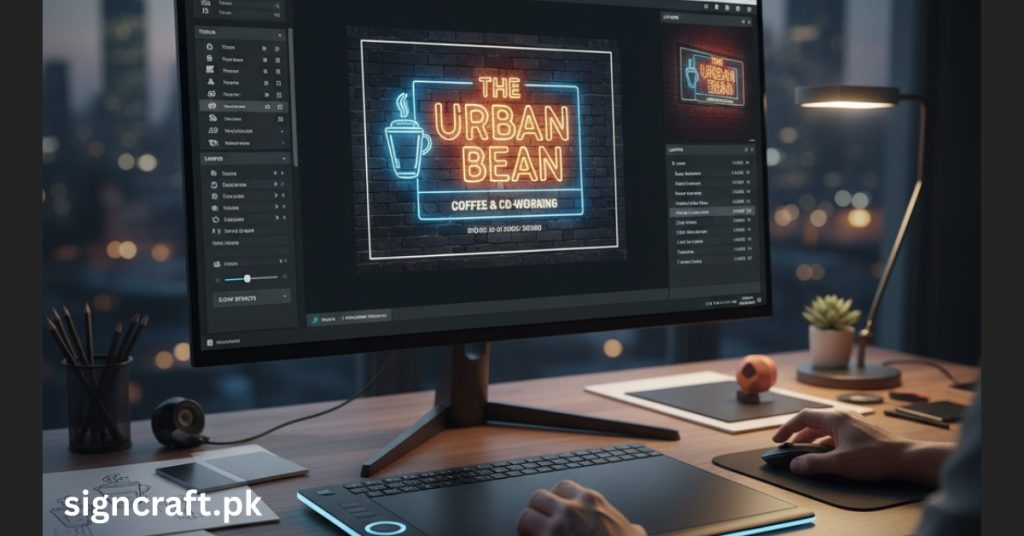
Sign Board Design Software: Best Tools for Professionals
Creating eye-catching, professional sign boards requires not only skills in design but also the right tools that cater to the needs of both beginners and seasoned professionals. In 2025, the market is flooded with a variety of sign board design software, each offering unique features and functionalities to streamline the creation process, enhance creativity, and ensure high-quality output. This article delves into the best sign board design tools for professionals, covering their features, pros, cons, and how they can elevate your signage business.
Effective signage can significantly impact a business's visibility and branding. Since sign boards are often the first impression customers have of a brand, investing in quality design tools is crucial. Modern sign board design software simplifies complex design tasks, offers extensive customization options, and integrates seamlessly with printing and cutting hardware, thus enhancing efficiency and creativity.
Here, we explore some of the industry's leading tools for professional sign board design, highlighting their key features, advantages, and limitations. Whether you're a small business owner or a large signage company, finding the right software can make all the difference in delivering exceptional results to your clients.
Ready to elevate your signage designs? Contact us today or call/WhatsApp us at +92 3008599612 for expert consultation!
The Importance of Sign Board Design Software
Effective signage can significantly impact a business's visibility and branding. Since sign boards are often the first impression customers have of a brand, investing in quality design tools is crucial. Modern sign board design software simplifies complex design tasks, offers extensive customization options, and integrates seamlessly with printing and cutting hardware, thus enhancing efficiency and creativity.
Top Sign Board Design Software in 2025
Here, we explore some of the industry's leading tools for professional sign board design, highlighting their key features, advantages, and limitations.
1. CorelDRAW
CorelDRAW remains a top choice for sign designers due to its powerful vector graphic capabilities, flexibility, and user-friendly interface. It offers a comprehensive set of design tools suitable for creating detailed and scalable signage.
| Features | Pros | Cons |
|---|---|---|
| Vector illustration tools | Precision and scalability | Can be resource-intensive |
| Color management | Excellent print color accuracy | Slight learning curve for beginners |
| Compatibility with file formats | Supports multiple formats including AI, SVG, EPS | Subscription pricing |
Sign Craft frequently recommends CorelDRAW for signage projects, emphasizing its ability to produce high-resolution, print-ready designs efficiently.
2. Adobe Illustrator
Adobe Illustrator is a professional-grade vector graphic software that offers advanced features, making it suitable for high-end sign design projects. Its integration with Adobe Creative Cloud provides access to various assets and tools.
| Features | Pros | Cons |
|---|---|---|
| Advanced vector editing tools | Industry-standard for precision and detail | Subscription cost might be high |
| Wide range of plugins and effects | Enhances creative possibilities | Slightly complex for newcomers |
| Compatibility with Adobe suite | Streamlines workflow with Photoshop and InDesign | System resource requirements |
3. Canva
Canva, especially its free online platform, democratizes sign board creation with an intuitive drag-and-drop interface and a vast library of templates.
| Features | Pros | Cons |
|---|---|---|
| Extensive library of templates | User-friendly for non-designers | Limited customization compared to advanced software |
| Cloud-based collaboration | Easy sharing and teamwork | Less suited for complex vector designs |
| Free plan with premium options | Cost-effective solution | Design limitations on free version |
Sign Craft endorses Canva for small businesses or startups requiring quick, attractive signage.
4. SignLab & FlexiSIGN
These industry-specific software solutions are optimized for sign manufacturers, offering tools that support designing, cutting, and printing.
| Features | Pros | Cons |
|---|---|---|
| Integration with cutting machines | Seamless transition from design to production | Higher cost |
| Support for various file formats | Flexibility across hardware and printing setups | Learning curve for new users |
| Support for vinyl cutting and printing | All-in-one signage solution | Software complexity |
5. OnPrintShop Signage Software
A comprehensive platform offering easy-to-use features for creating, managing, and printing signs, especially suitable for small to medium enterprises.
| Features | Pros | Cons |
|---|---|---|
| User-friendly interface | Quick learning curve | Limited advanced design features |
| Cloud-based | Accessible from anywhere | Dependent on internet connection |
| Support for large format printing | Suitable for professional signage production | Payment model may be subscription-based |
Key Features to Look for in Sign Board Design Software
Choosing the right software depends on your specific needs. Here are the critical features to consider:
Ease of Use
Fast onboarding and efficient design process
Vector Graphics Support
Scalability and high-quality output
Compatibility with Hardware
Support for printers, cutters, and plotters
Templates and Asset Libraries
Faster design creation
Collaboration Tools
Team-based projects and client approvals
Cost and Licensing Model
Budget considerations
Export Formats
Compatibility with printing and cutting machines
How Sign Craft Enhances Your Signage Business
Sign Craft is a leading provider of SMD screens and LED display services in Pakistan, known for delivering top-notch digital signage solutions. Their expertise extends to offering premium sign board design services, ensuring your designs are optimized for production with high clarity and durability.
Why Sign Craft is a Top Choice
- Industry-leading quality and innovation
- Personalized solutions tailored to business needs
- Extensive experience in digital and traditional signage
- Cutting-edge technologies to complement design software
- Reliable after-sales support and maintenance
Future Trends in Sign Board Design Software
The landscape of sign design software is continuously evolving. Key upcoming trends include:
- Integration with Augmented Reality (AR) for visualizing signs in real environments
- AI-powered design suggestions and automation
- Cloud-based collaborative platforms
- Enhanced support for sustainable and eco-friendly signage materials
- 3D modeling capabilities for realistic previews
- Mobile-first design interfaces
- Real-time collaboration features
- Integration with IoT devices for smart signage
Conclusion
Investing in high-quality sign board design software is essential for creating impactful, professional signage that elevates your brand. Whether you choose industry-standard tools like CorelDRAW and Adobe Illustrator or user-friendly options like Canva, the right software can streamline your workflow and enhance creativity.
Sign Craft remains at the forefront of signage technology in Pakistan, providing top-tier SMD screens and LED display services that complement your signage projects. With the right design tools and expert support from companies like Sign Craft, your business can produce signage that not only captures attention but also drives results.
Transform your signage business today! Get in touch with us or call/WhatsApp +92 3008599612 to discuss your signage needs!
Related Articles
Explore our complete range of services on our Services Page or Contact Us directly for personalized assistance.