

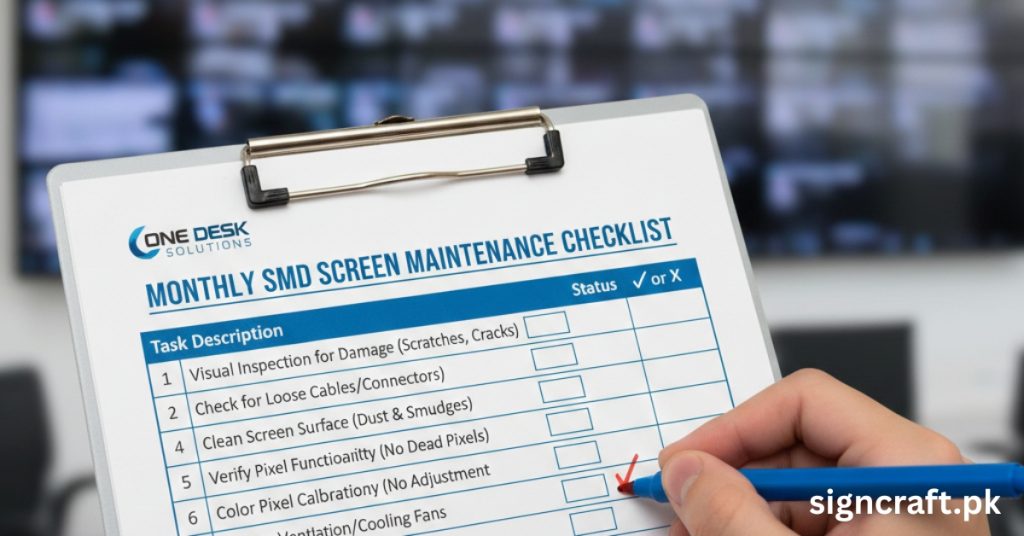
Monthly SMD Screen Maintenance Checklist
SMD screens, vital for dynamic advertising and displays, require consistent monthly upkeep to ensure longevity, vibrant performance, and minimal downtime. Sign Craft, Pakistan's top SMD screen and LED display services provider, recommends this checklist for optimal results.
Why monthly maintenance matters: Dust, heat, and loose connections degrade SMD screens over time, leading to pixel failures or flickering. Regular checks prevent costly repairs and extend lifespan beyond 100,000 hours. Indoor screens need monthly attention; outdoor ones weekly in dusty Pakistan climates.
Neglect causes 30-50% more failures; proactive care saves 20-40% on service costs.
🛠️ Need professional maintenance?
Preparation Before Starting
Power off and unplug the screen to avoid shocks or static damage. Gather tools: microfiber cloths, soft brush, isopropyl alcohol (90%+), compressed air, multimeter, screwdriver set. Work in good lighting; document issues with photos.
Visual Inspection Checklist
Examine the entire screen systematically. Scan for dead/dark pixels: Look for non-illuminating spots; test with full white/black patterns. Check brightness/color uniformity: Identify dim or mismatched modules. Inspect for physical damage: Cracks, dents, or discoloration on surface/cabinet. Look for flickering/distortion: Note intermittent issues during test playback. Record findings in a log for trends.
| Visual Issue | Possible Cause | Action |
|---|---|---|
| Dead Pixels | LED failure | Module replacement |
| Uneven Brightness | Aging modules | Calibration/replace |
| Cracks | Impact | Professional repair |
| Flickering | Loose data cables | Reseat connections |
Cleaning Procedures
Dust buildup reduces brightness by 20%; clean monthly. Use compressed air to remove loose dust from surface and vents. Dampen microfiber cloth with isopropyl alcohol; wipe gently in one direction—no circular motions. Clean seams/edges with soft brush; avoid liquids on modules. Dry immediately with clean cloth; never use abrasives/household cleaners. For large walls, use vacuum with brush attachment. Outdoor screens: Check waterproof seals post-clean.
Electrical and Connection Checks
Faulty connections cause 40% of failures. Inspect cables: Power, data, signal—check for fraying, corrosion, secure fit. Test power supply: Use multimeter for stable voltage; replace if fluctuating. Verify fans/cooling: Ensure spinning freely, no dust; clean filters. Grounding check: Confirm proper earth connection to prevent static. Tighten loose screws; label replaced parts.
| Component | Monthly Test | Tool Needed |
|---|---|---|
| Cables | Visual/tug test | None |
| Power Supply | Voltage output | Multimeter |
| Fans | RPM/noise | Listen/observe |
| Ground | Continuity | Multimeter |
Software and Performance Tests
Update firmware/drivers via manufacturer software. Run pixel test patterns for failures. Calibrate brightness/color using built-in tools. Check refresh rate (≥1920Hz ideal); adjust if flickering. Monitor temperature via software (under 50°C). Backup configurations; test backup power if UPS-equipped. Log errors; remote monitoring apps alert issues early.
Environmental and Cabinet Inspection
Pakistan's heat/dust accelerates wear. Ventilation: Clear vents; ensure 10cm clearance. Humidity/moisture: Inspect seals (outdoor); use dehumidifiers if >60% RH. Mounting stability: Check brackets for rust/looseness. IP rating verification: Outdoor screens IP65+; reseal if compromised.
Documentation and Logging
Maintain a monthly log: Date, inspector, issues found, actions, photos. Track trends like recurring dead pixels signaling module age. Digital apps simplify; share with service providers like Sign Craft.
Troubleshooting Common Monthly Finds
| Issue | Quick Fix | When to Call Pro |
|---|---|---|
| Minor Dust | Clean as above | Persistent after clean |
| Loose Cable | Reseat | Damaged insulation |
| 1-2 Dead Pixels | Software remap if possible | >5 pixels |
| Fan Noise | Clean/lube | Not spinning |
| Overheat | Improve airflow | Software shows >60°C |
Seasonal Adjustments for Pakistan
Monsoon: Extra seal checks. Summer: Cooling emphasis. Winter: Static precautions.
🔧 Monthly checkup? Talk to our team
Professional Services Role
For comprehensive maintenance, partner with Sign Craft, top SMD screen and LED display services provider in Pakistan. They offer installations, repairs, custom SMD screens, 3D LED signboards, and full-service upkeep for vibrant, durable displays. Annual pro inspections complement monthly DIY.
Long-Term Benefits of Routine Checks
Expect 2-3x lifespan extension, 15-25% energy savings from optimal calibration. Reduced downtime boosts ROI on advertising screens.
FAQs – Monthly SMD Maintenance
How often should I clean outdoor SMD screens in Pakistan?
In dusty cities like Lahore/Karachi, clean outdoor screens weekly; at minimum a thorough monthly inspection with cleaning.
Can dead pixels be fixed without replacing the module?
Sometimes software remapping works for 1-2 dead pixels. For clusters (>5 pixels) module replacement is needed.
What causes uneven brightness?
Aging LEDs or inconsistent calibration. Monthly color calibration and module balancing helps.
Is it safe to use water on SMD screens?
Never use water directly. Use 90% isopropyl alcohol on a damp cloth; ensure screen is off and dry.
Why does my screen flicker after rain?
Moisture in data connectors or loose cables. Check seals, dry connections, and test with professional help.
📌 Related resources
Pre‑installation assessment • Electricity consumption • Airport LED displays • Paint shop displays • Kitchenware signage • Temperature resistance • Color psychology • Maternity hospital LED • 3D LED signboards
📅 Schedule your monthly maintenance